How to Add Music on Hold
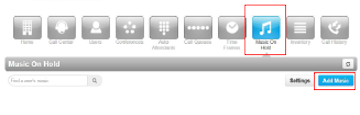
Log into your portal. To edit the Music On Hold, click the Music On Hold button.
Here you can edit the Music On Hold for your entire company, or you can type a specific extension to place the Music On Hold just for that user.
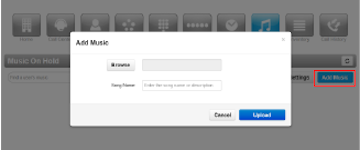
Once you have selected where you are going to upload your music, click Add Music. A pop up will appear, and you can add your audio file. You must name your song before it can be uploaded.
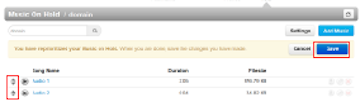
You can now click Upload. If you have multiple files you want played, you can add more than one. Whichever file you would like to play first, slide to the top and click save. The audio files below will play in the same order as they are placed.
